Skip to content

Pile QA/QC · rig to record

Every pile, checked against spec. From the rig to the record.

Crews record each pile as it is driven. A deterministic rules engine checks it against the spec. Engineers review only the exceptions.

Create account

No signup needed for the demo. It resets nightly.

Built for

  • Solar
  • Marine & docks
  • Bridges
  • Buildings
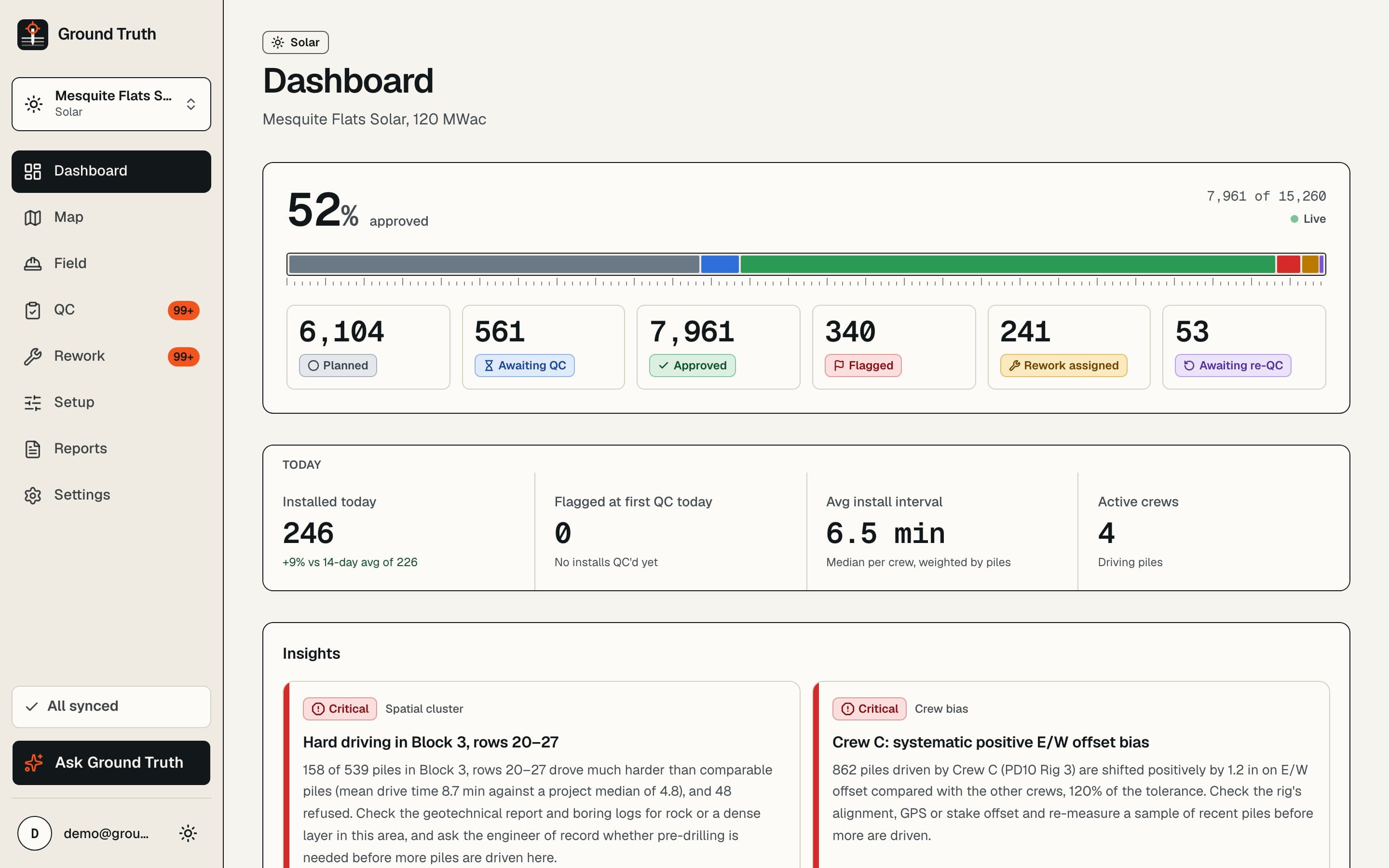
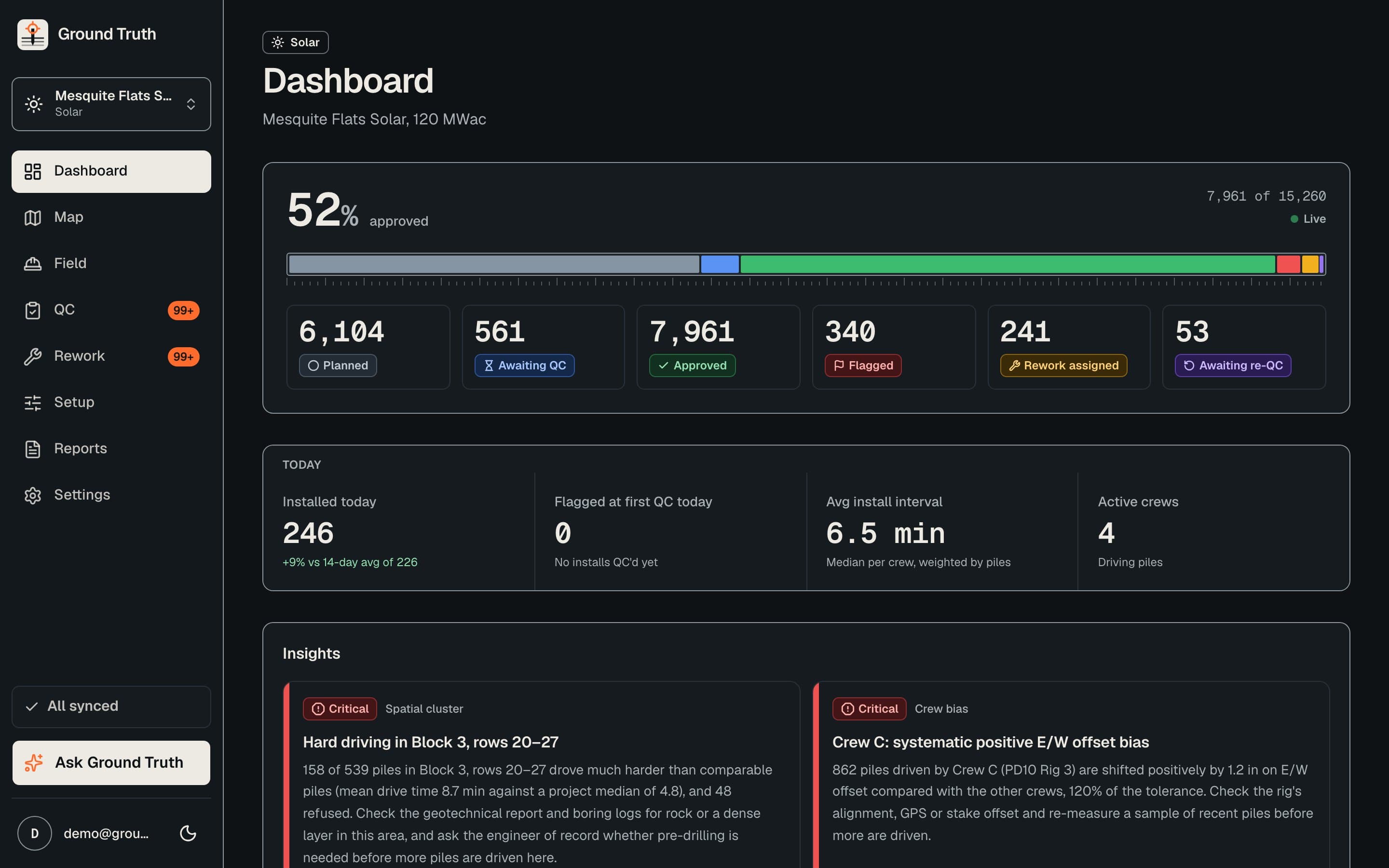
The Ground Truth project dashboard: pile counts by QC status, a site map and the latest flagged piles.
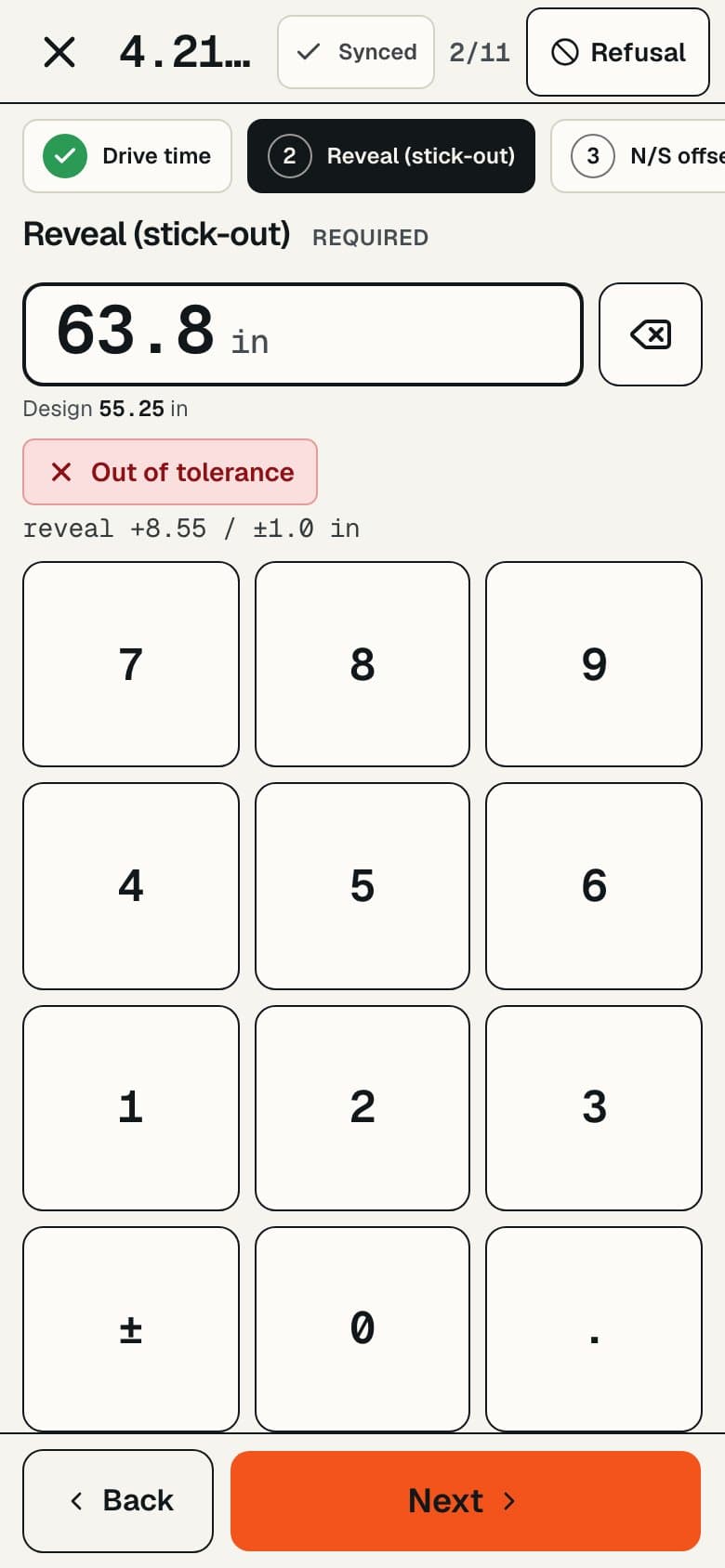
The field keypad on a phone, used by the crew to record a pile.

How it works

Three steps from the spec to a signed-off pile

  1. 01

    Set up

    AI reads the spec and the pile schedule. You review the proposed rules and pile list, then publish.

    spec.pdf + schedule.csv

  2. 02

    Record

    The crew records each pile as it is driven, offline if the site has no signal, with live tolerance checks.

    reveal +0.4 in · within ±1.0

  3. 03

    Review

    A deterministic rules engine checks every pile. Engineers review only the exceptions.

    3.2.33.11 · FLAGGED

Features

Everything between the rig and the report

Spec and schedule import

Start from the documents you already have

Upload the spec and the pile schedule. The acceptance rules and the pile list come out ready to review, not retyped by hand.

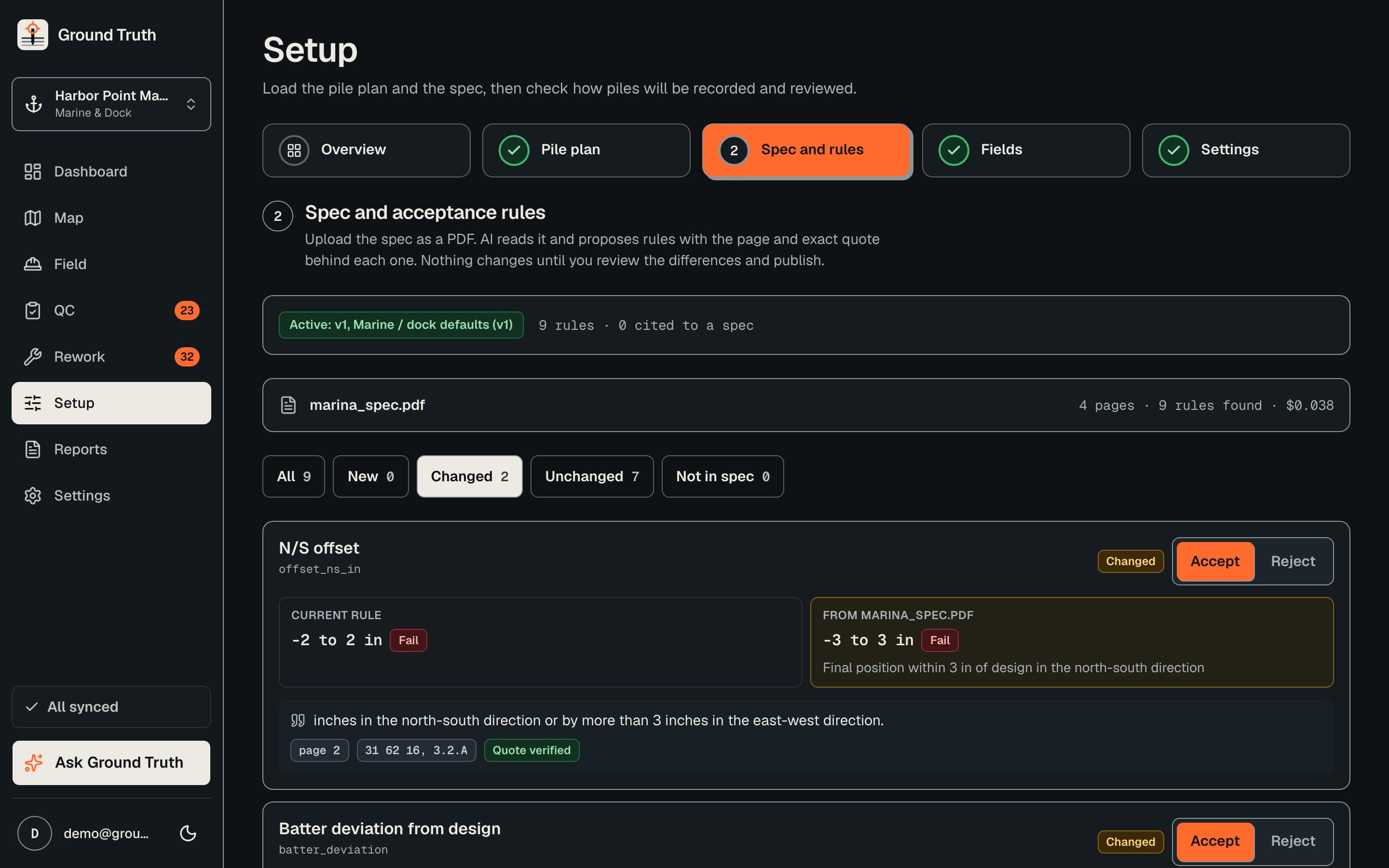
  • AI pulls acceptance rules from the spec PDF. Each rule cites its page and the exact quote, checked against the document.
  • Review a diff before publishing. Rules are versioned, so every pile is judged against a known rule set.
  • AI maps messy CSV pile-schedule headers to the right columns; fixed rules do the actual conversion.
  • Templates for solar tracker, marine and dock, bridge and building, or custom. State Plane, UTM or a local site grid.
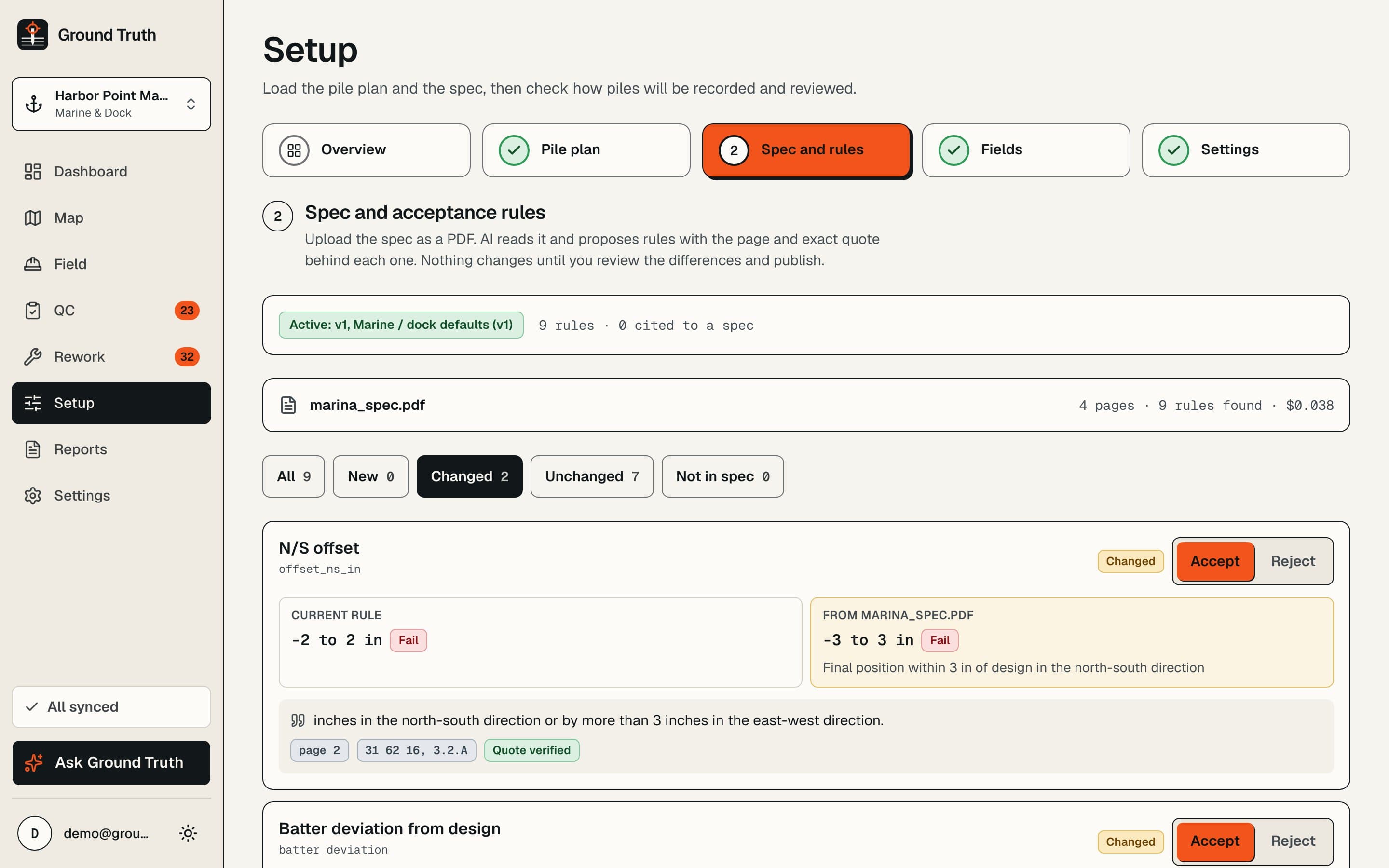
The setup screen listing acceptance rules extracted from a spec, each with its page number and quoted text.
Fig. 01 · Spec and schedule import

Field entry

Built for gloves and sun

Big targets, high contrast and nothing to hunt for. The crew records a pile in seconds and sees right away if it is in tolerance.

  • A keypad with live tolerance badges as values are typed, required-field checks and a refusal toggle.
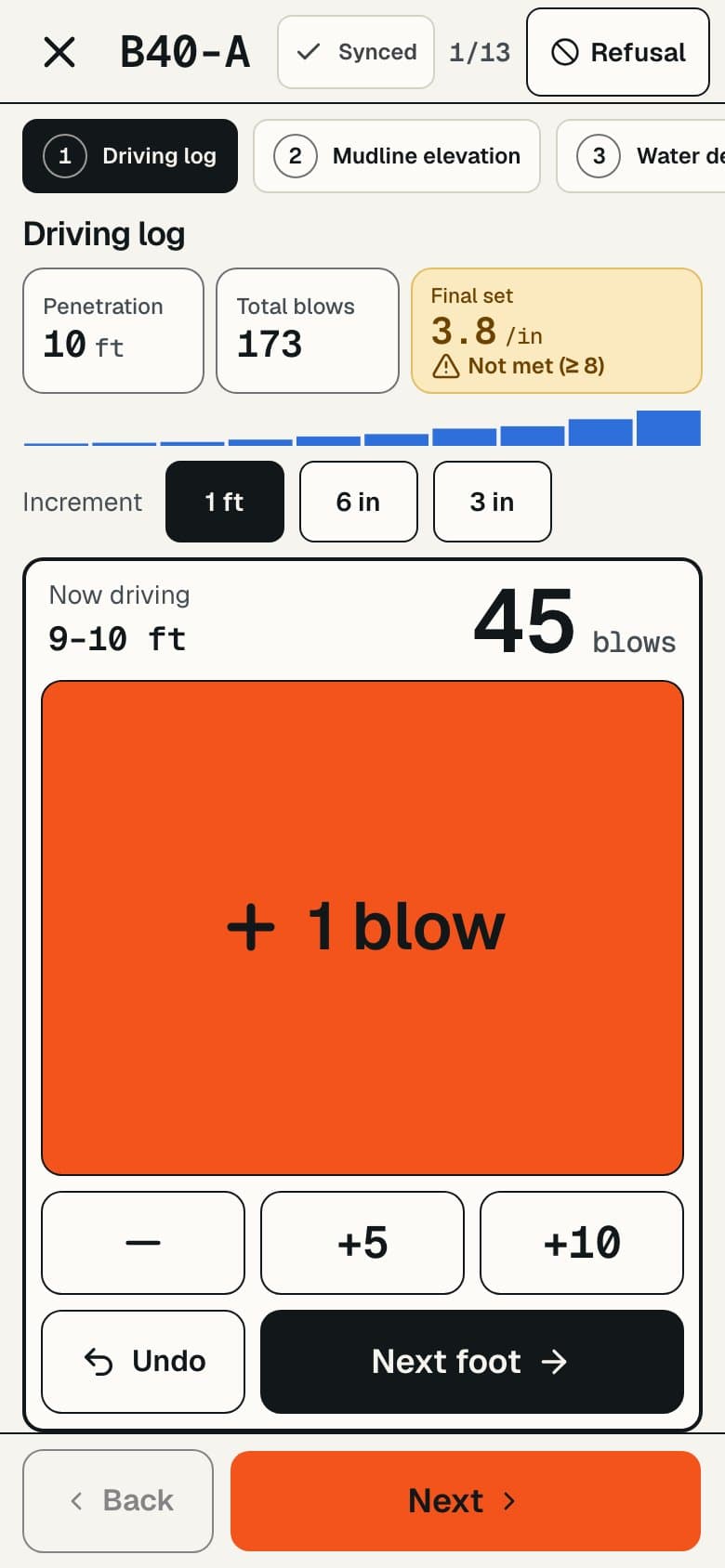
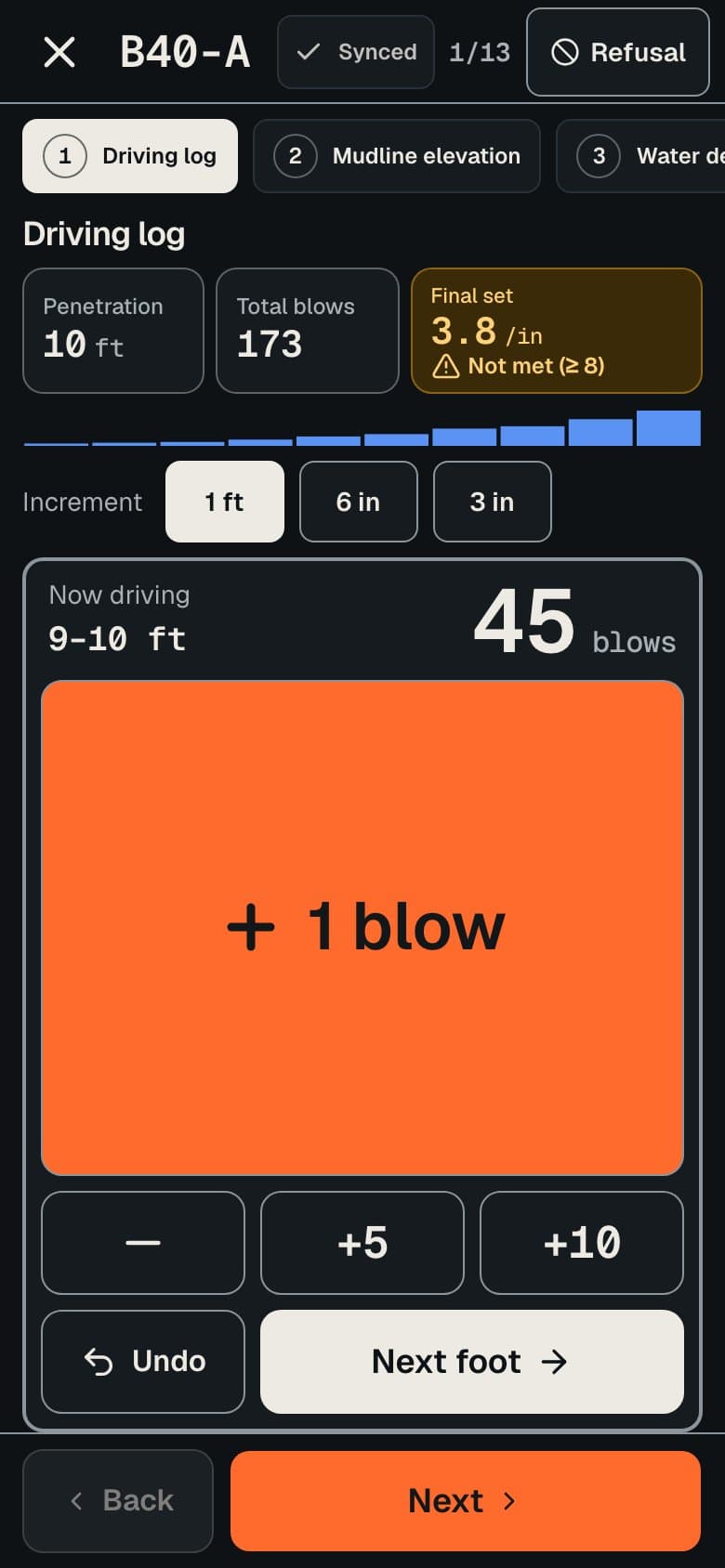
  • A tap-per-foot driving log with a live refusal hint.
  • Download a project for offline use. Entries queue on the device and sync when it is back online.
  • Installable on a phone or tablet like any other app.
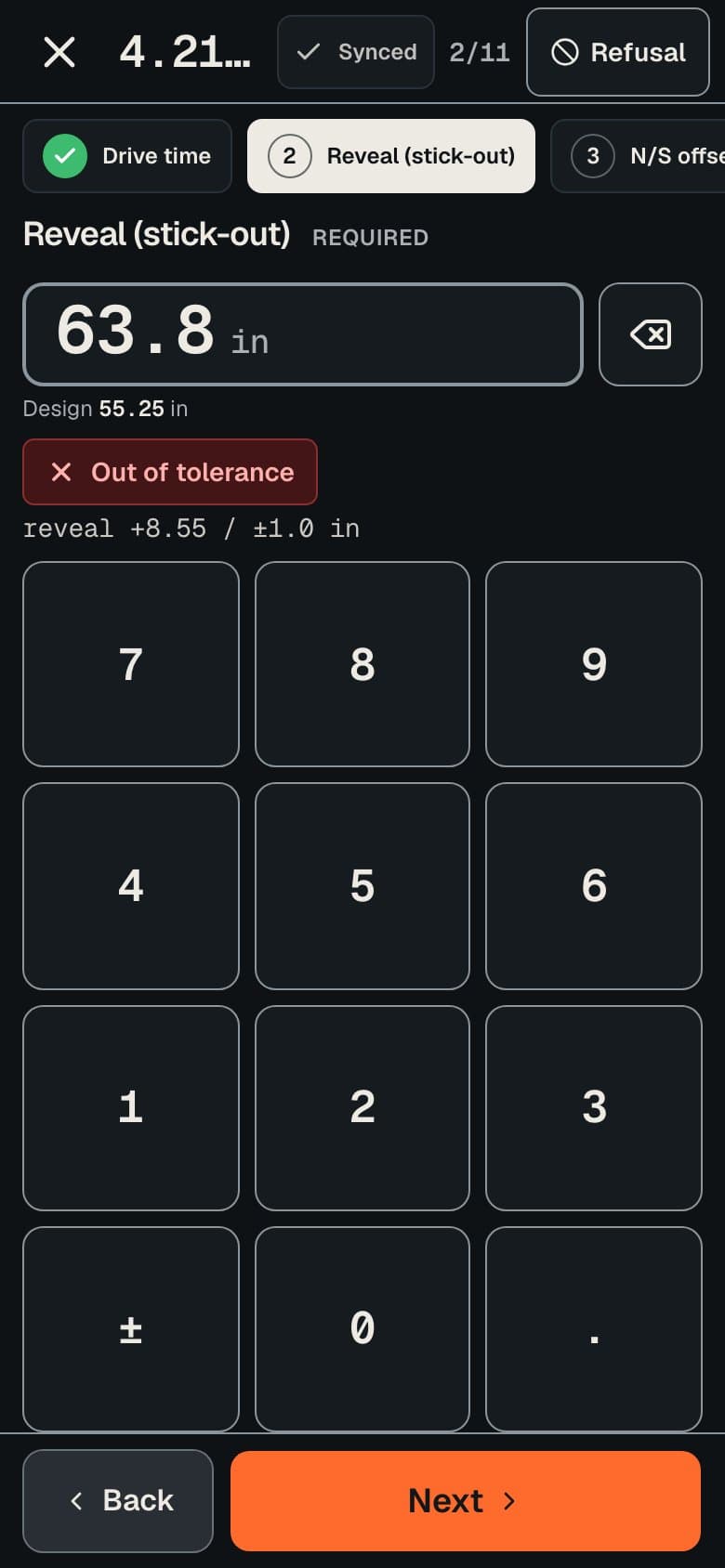
The field keypad on a phone, with a reveal value typed in and a live badge flagging it as out of tolerance.
The driving log on a phone, with a button for each foot of penetration and a refusal hint.
Fig. 02 · Field entry

Exception-based QC

Engineers review the exceptions, not every pile

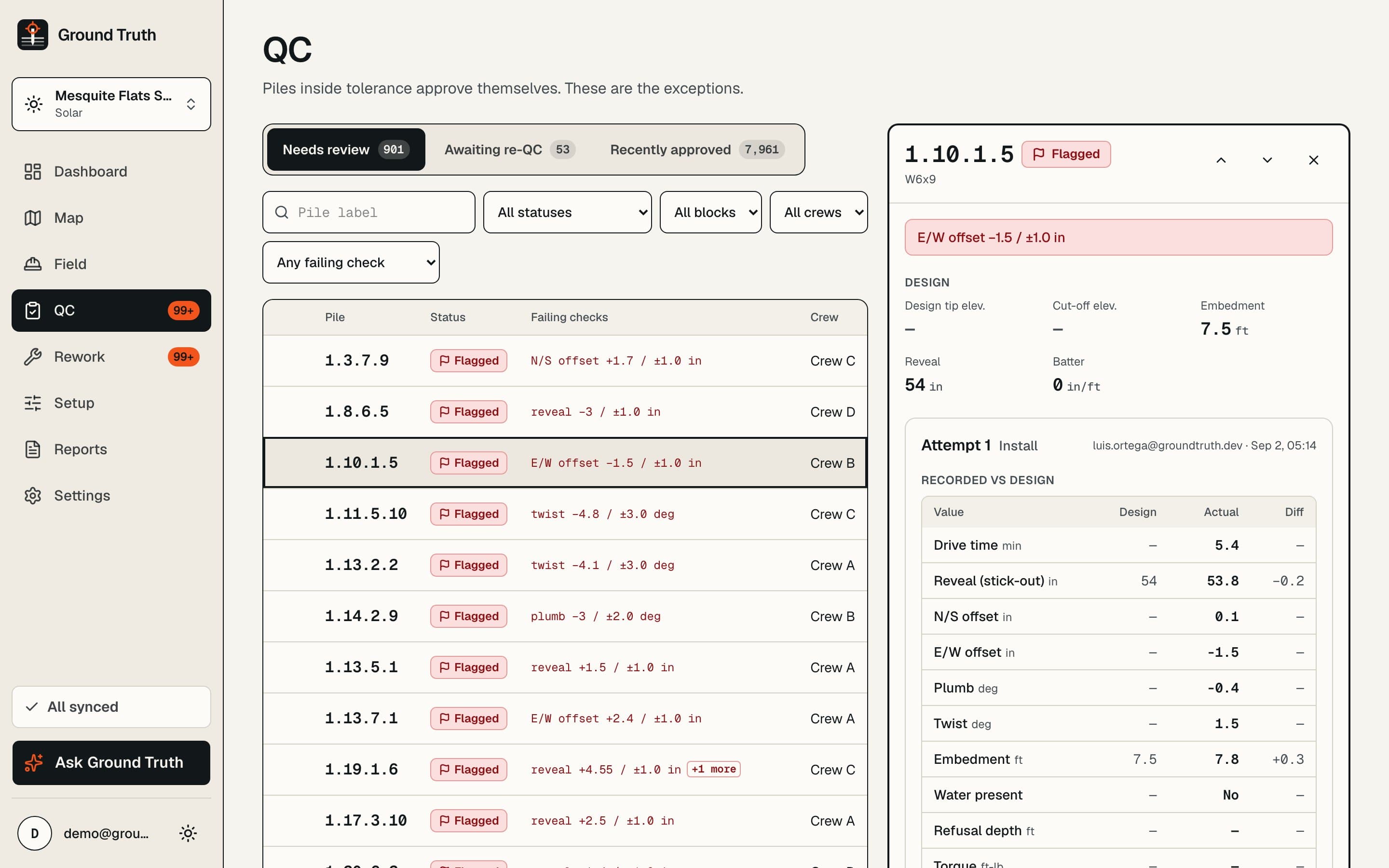
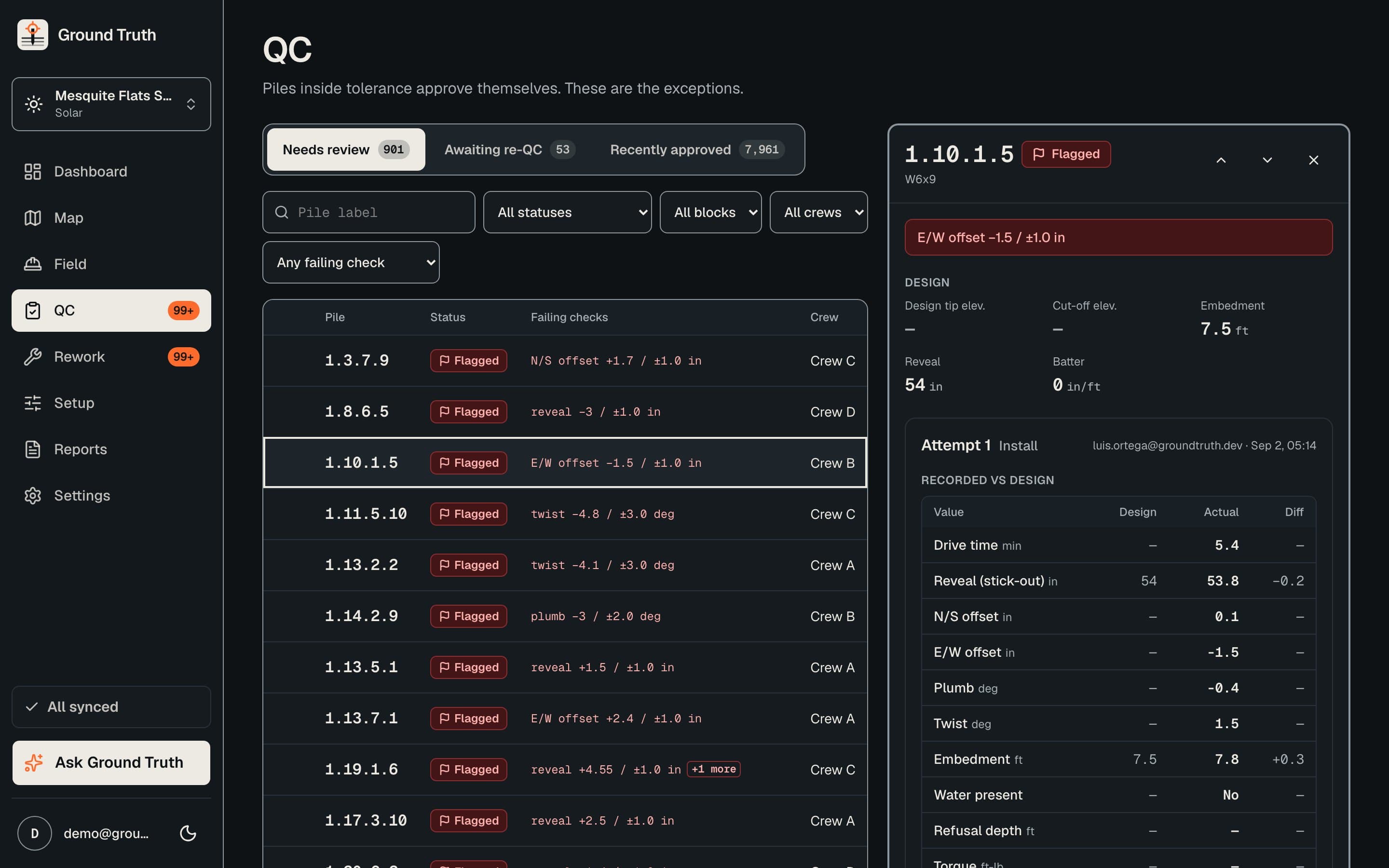
The rules engine checks each pile the moment it is recorded. Clean piles can approve themselves; everything else waits in a queue built for fast triage.

  • Clean piles can auto-approve. Flagged ones land in a queue.
  • Filters, bulk approve and keyboard shortcuts keep a long queue moving.
  • Independent approval is enforced in the database: whoever recorded a pile cannot approve it.
The QC queue with flagged piles, filters along the top and a pile detail panel showing the failed rule.
Fig. 03 · Exception-based QC

Live map

The whole site, in status colours

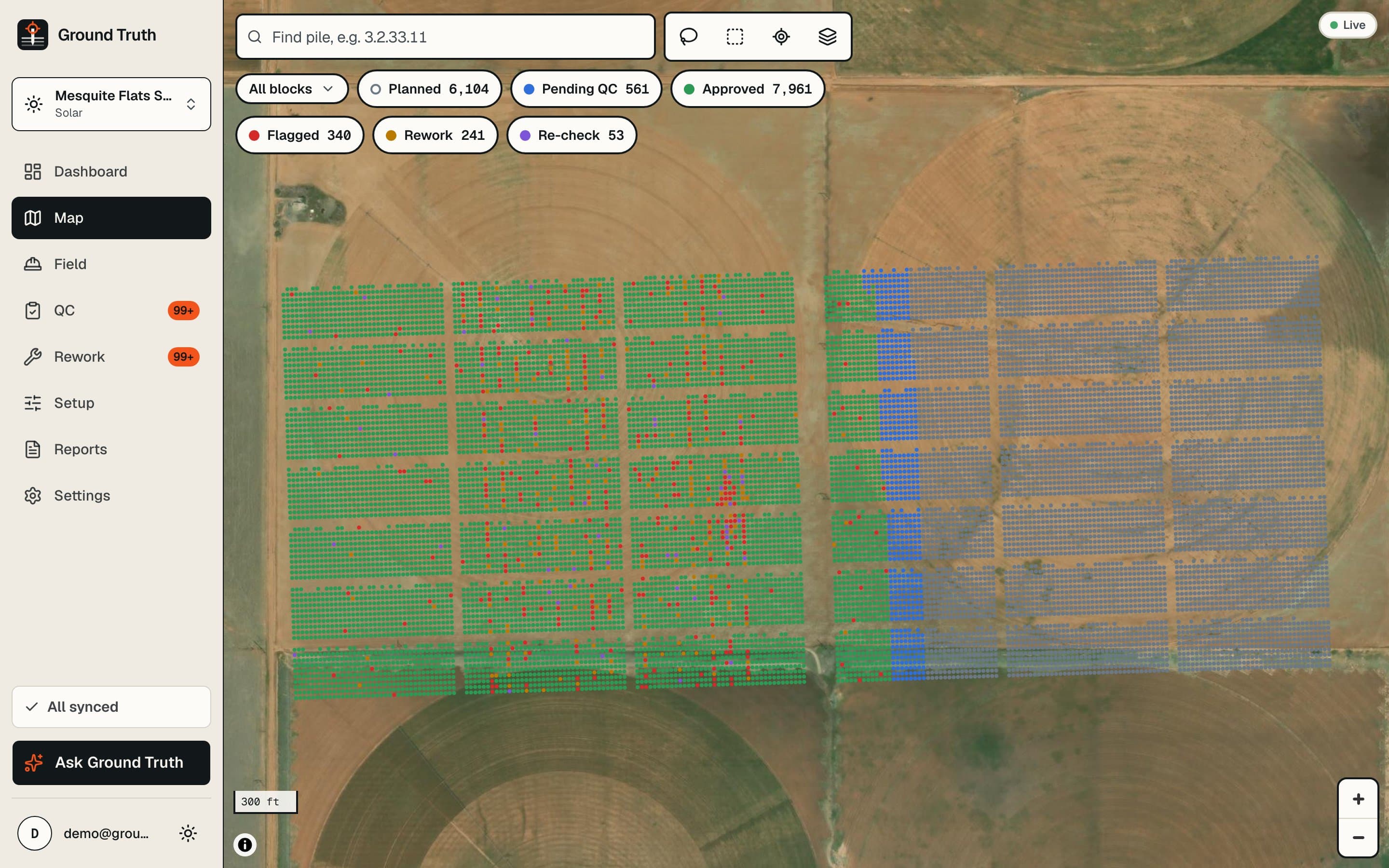
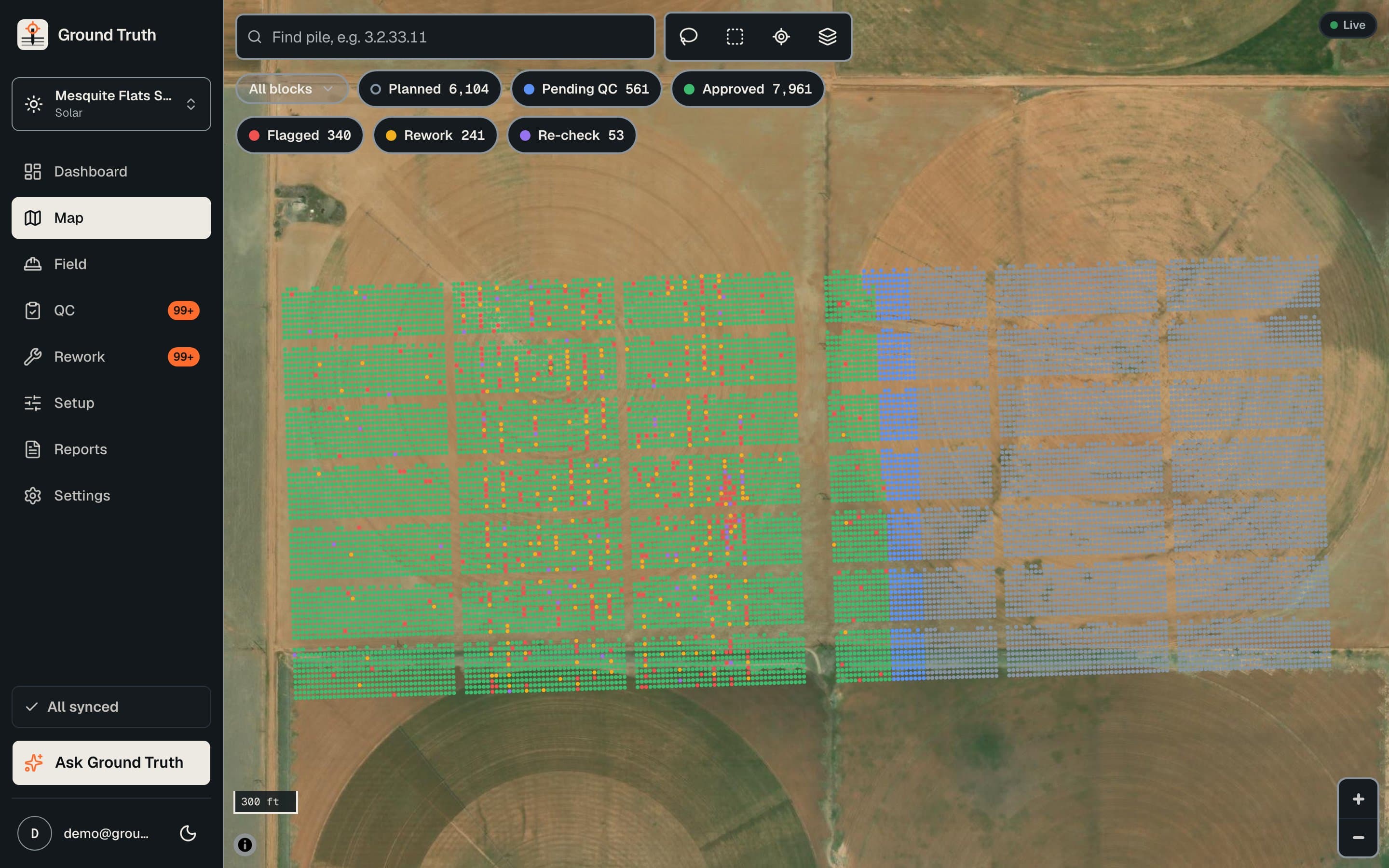
See what is driven, waiting on QC, flagged or sent back for rework, in the place it actually is.

  • Satellite or plan view.
  • Lasso or box select, then act on the selection.
  • Status filters to isolate what needs attention.
  • Live updates as the crew records piles.
A map of a pile site with each pile coloured by QC status and a status filter panel.
Fig. 04 · Live map

Insights and copilot

Patterns a pile-by-pile check cannot see

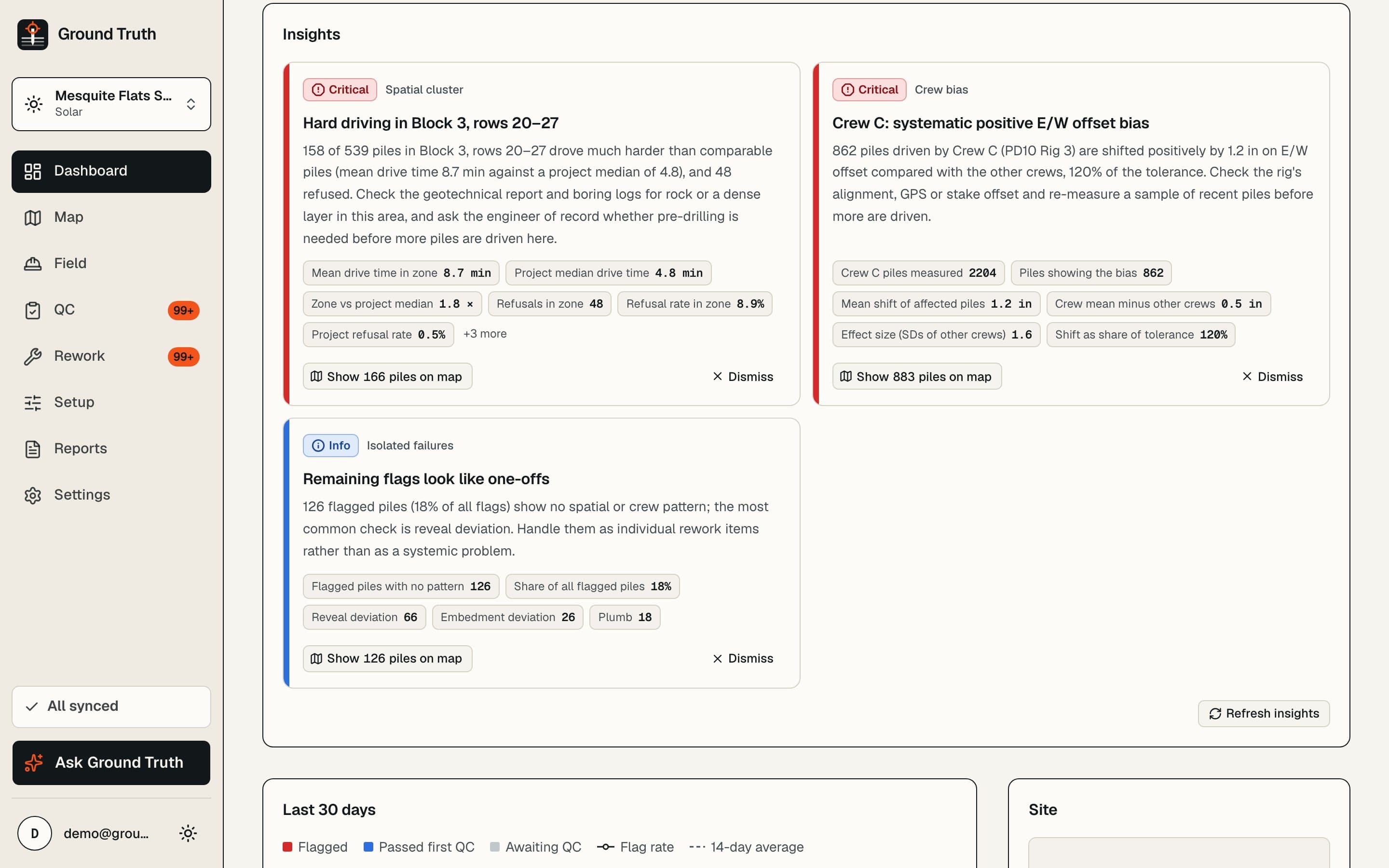
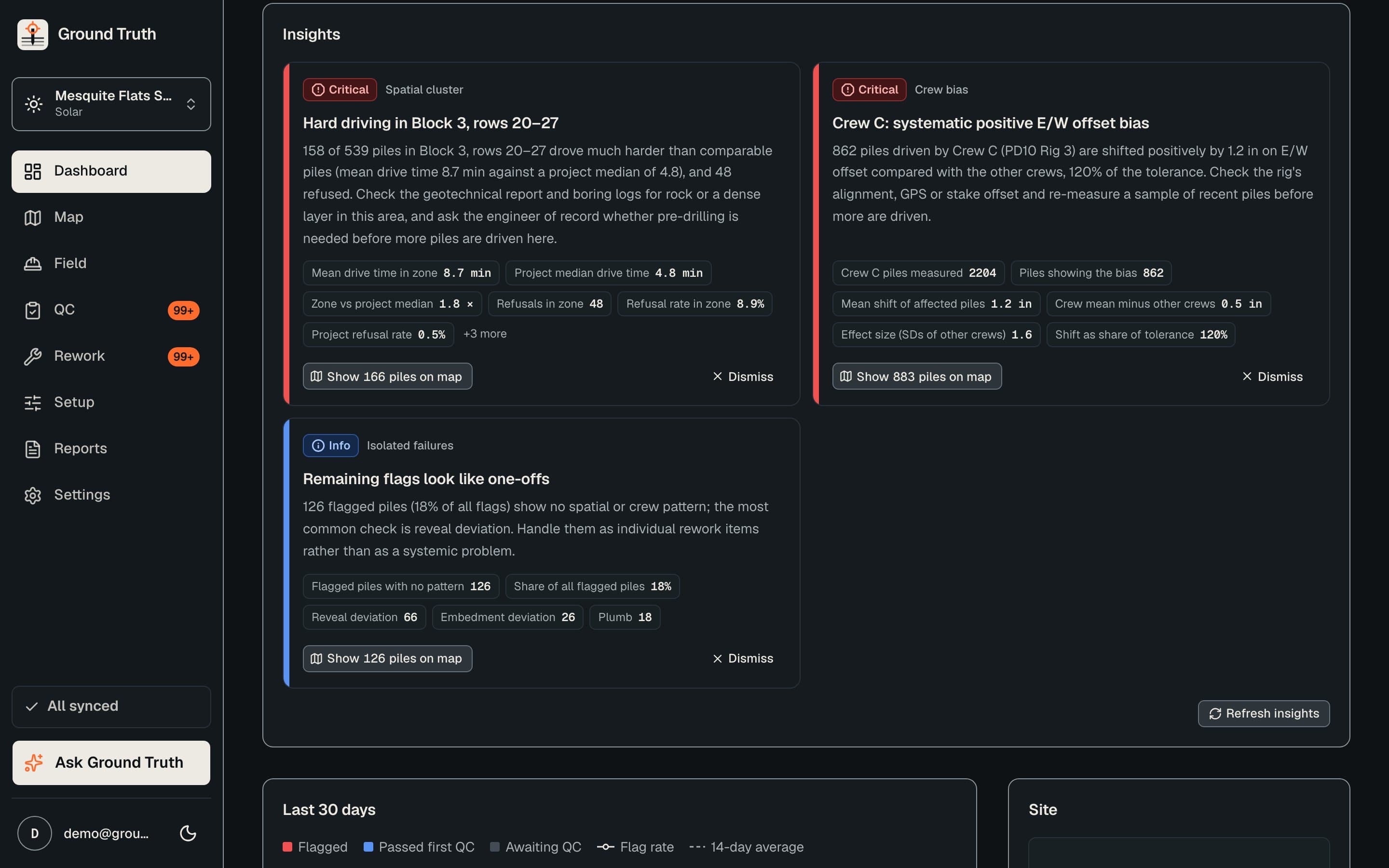
Detectors watch the whole data set for trouble that only shows up across many piles, and explain it in plain English.

  • Detectors for crew bias, clustered rule failures, false set or early refusal, and spatial clusters of hard driving.
  • Plain-English flag explanations with a recommended remediation.
  • A project copilot that answers questions and drafts daily reports, RFIs, remediation memos and inspector summaries.
The insights page listing detected patterns, each with a plain-English explanation and a recommended action.
Fig. 05 · Insights and copilot

Reports and audit trail

The record, ready to hand over

Everything the owner or the engineer asks for at the end of a shift or the end of a job, generated from the data instead of assembled by hand.

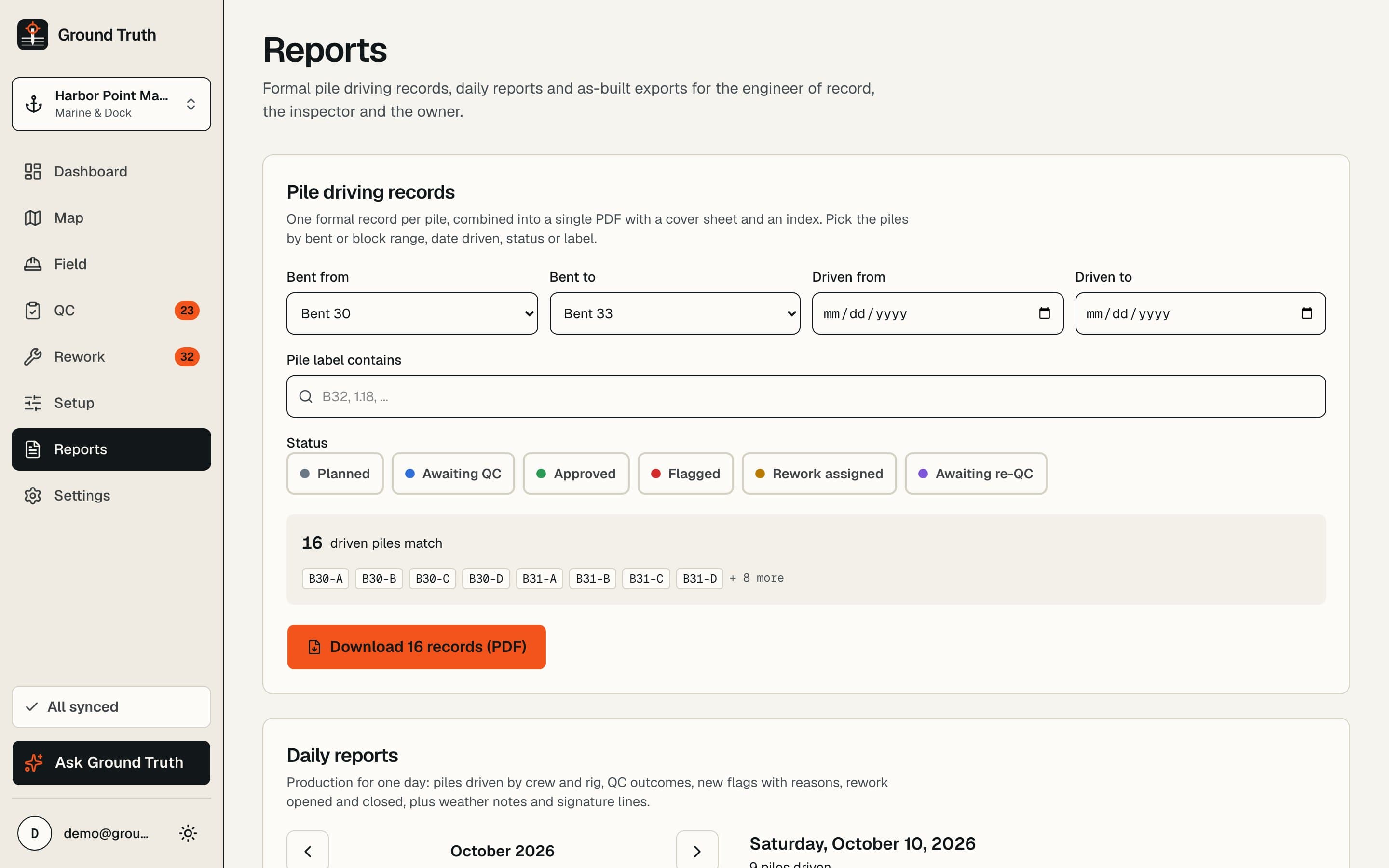
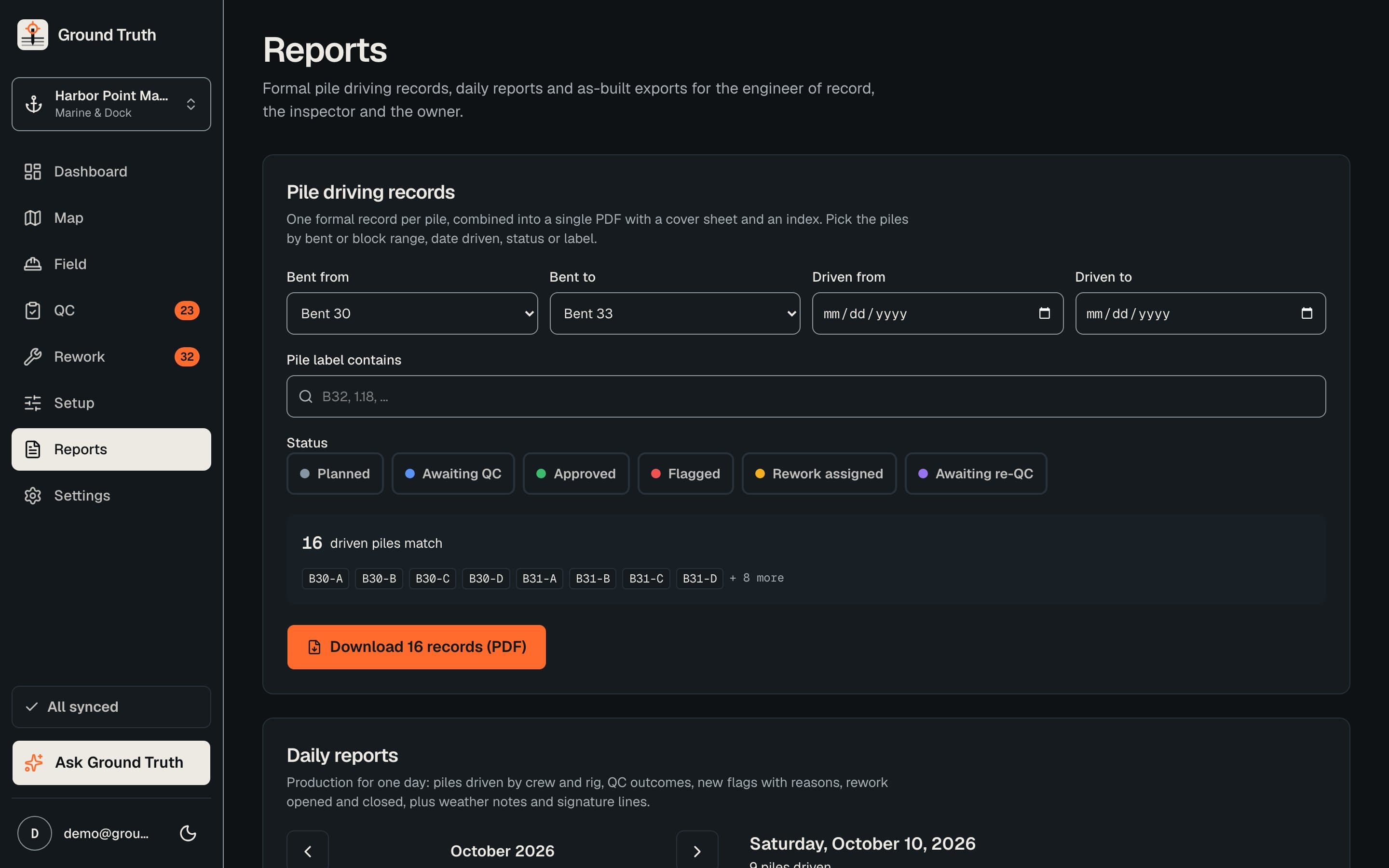
  • Combined driving-record PDFs with a cover sheet and an index.
  • Daily report PDFs by crew and rig, with QC outcomes, flags, rework and signature lines.
  • As-built CSV or XLSX with design against actual.
  • Rework is tracked through to re-QC. An append-only change history is written by the database itself.
The reports page with options for a daily report, a driving record and an as-built export.
Fig. 06 · Reports and audit trail

And on the job

The details that matter on a pile site

  • Six roles

    Each role sees and does only what its job needs, in plain terms.

    • AdminRuns the organisation
    • Project managerSets up projects and crews
    • Engineer of recordOwns the rules and the final call
    • InspectorApproves or flags piles
    • OperatorRecords piles in the field
    • ViewerRead-only for clients and office
  • Templates per pile market

    Start from solar tracker, marine and dock, bridge and building, or build your own.

  • Capacity estimates

    Pile capacity estimates from the driving record, using FHWA-modified Gates and ENR. Estimates, not design values.

  • Works offline

    An installable app that keeps recording when the signal drops and syncs when it returns.

  • Live across crew and office

    Piles, flags and approvals show up for everyone as they happen.

  • Every change on the record

    An audit log written by the database, so history cannot be edited after the fact.

Sample project · sample data

See it on a real project

Open a project with piles, flags, rework and reports already in it. Record a pile, approve one, read the daily report.

Create account

No signup needed. The demo resets nightly.